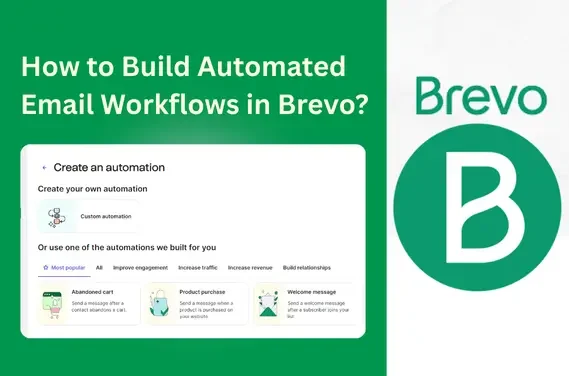
How to Build Automated Email Workflows in Brevo
Introduction
Automated email workflows in Brevo help businesses create consistent, personalized, and behavior-driven communication without manual effort. These workflows increase engagement, reduce repetitive tasks, and improve the customer journey by sending emails at the right time.
Brevo provides automation tools that connect triggers, actions, and conditions with a visual workflow builder. Marketers use Brevo automation to nurture leads, re-engage inactive users, and send transaction-based messages. This guide explains the complete process of building automated email workflows using Brevo’s features.
Key Takeaways
Below are the essential insights you will gain from this guide. These points help you understand exactly what you will achieve by building automated workflows in Brevo.
- You will learn the core steps to set up automated email workflows, including selecting triggers, building sequences, and defining conditions.
- You will understand how to use Brevo’s tools such as segmentation, personalization, and A/B testing, which increase email performance.
- You will get proven methods to boost engagement and conversions, including timing optimization, message relevance, and workflow refinement.
- You will learn how to improve the customer journey using targeted automation, such as onboarding workflows, abandoned cart sequences, and reactivation campaigns.
With these takeaways, you can confidently create automation that supports both marketing and transactional communication.
Step-by-Step Guide: Building Your First Automated Email Workflow in Brevo
This section provides a clear, actionable roadmap for building your first workflow inside Brevo.
1. Choose the Right Trigger
Start your workflow by selecting a trigger. Brevo provides user-driven and event-based triggers, including:
- Email sign-up (e.g., new subscriber joins your list)
- Website activity (e.g., page visits, link clicks)
- E-commerce actions (e.g., abandoned carts, purchases)
- Custom events (e.g., app interactions)
Choose the trigger most relevant to your business goal.
2. Add Actions to Define Customer Interactions
After selecting a trigger, you add actions that define what happens next. Common actions include:
- Send email (welcome message, reminder, promotion)
- Add contact to a list or segment
- Assign contact scoring
- Apply conditions for personalized paths
Actions move the subscriber through the workflow with structured communication.
3. Use Conditions to Personalize the Workflow
Conditions allow you to customize user journeys by splitting them into different paths.
Examples of conditions include:
- If the user clicked the previous email
- If the user made a purchase
- If the user meets demographic or behavioral criteria
Personalized conditions improve relevance and increase response rates.
4. Create and Add Dynamic Email Content
Brevo supports dynamic personalization, which tailors each email automatically. You can personalize:
- Names and locations
- Product recommendations
- Behavior-based messages
- Custom attributes
Dynamic content increases engagement and helps you deliver more accurate messaging.
5. Test and Activate the Workflow
Once the workflow is completed:
- Preview each step
- Test the workflow using test contacts
- Activate the automation after verifying timing, triggers, and conditions
This ensures smooth delivery with minimal errors.
By following these steps, you build a workflow that aligns with user behavior and supports your marketing goals.
If you encounter setup issues or unexpected behavior during testing, referring to Brevo support can help resolve technical questions before activating the workflow.
Advanced Tips: Fine-Tuning Your Email Automation for Optimal Results in Brevo
Once your workflow is active, the next step is optimization. Below are advanced methods used by leading marketers to improve performance.
As automation strategies become more advanced, Brevo email marketing support can be useful for refining workflows, improving deliverability, and understanding complex automation logic.
Segment Your Audience for Better Targeting
Audience segmentation enhances precision. Examples of segmentation include:
- Demographic segments: age, location, job role
- Behavior segments: website visits, email engagement
- Purchase segments: first-time buyers, repeat customers
- Interest segments: content preferences, product categories
Segmentation ensures that each subscriber receives the most relevant message.
Use A/B Testing to Improve Workflow Performance
A/B testing allows you to test variations and identify what works best. Elements you can test include:
- Subject lines
- Email copy
- Send times
- CTA buttons
- Content layout
Testing leads to insights that improve engagement metrics.
Add Advanced Automation Strategies
Below are strategies that experienced marketers use to boost automation efficiency:
- Lead scoring automation to classify qualified leads
- Behavior-triggered follow-ups for more personalized workflows
- Multi-step journey mapping for longer nurture sequences
- Cross-channel automation using SMS in combination with email
Advanced strategies help you build a more complete and effective automation system.
Common Mistakes to Avoid When Creating Email Workflows in Brevo
Understanding common email marketing mistakes to avoid is essential when creating automated workflows, as small errors in timing, segmentation, or testing can reduce overall performance.
1. Overloading Subscribers with Too Many Emails
Sending frequent emails can reduce open rates and increase unsubscribes.
2. Ignoring Segmentation
Generic messaging reduces engagement. Use segmented workflows for higher relevance.
3. Poor Timing Between Workflow Steps
Incorrect timing leads to missed engagement opportunities. Use delays that match user behavior.
4. Not Testing the Workflow Before Activation
Skipping tests often leads to broken links, incorrect triggers, or email errors.
5. No Continuous Optimization
Workflows need regular updates based on data and user behavior to stay effective.
By avoiding these mistakes, you reduce manual fixes and increase workflow performance.
Conclusion
Automated email workflows in Brevo help businesses create structured, targeted, and efficient communication that supports customer acquisition and retention. When workflows are built using triggers, segmentation, personalization, and A/B testing, they deliver predictable and scalable results. Implementing these workflows gives your business a long-term advantage by improving engagement, increasing conversions, and optimizing marketing efficiency.
FAQs
How can I get started with Brevo’s email workflow automation?
Create a Brevo account, navigate to the Automation tab, select a trigger, add actions, personalize the content, and activate your workflow.
What are the best workflow practices for higher engagement?
Use segmentation, send personalized content, optimize timing, and regularly test email variations.
Can I integrate Brevo with other tools?
Yes. Brevo integrates with CMS platforms, e-commerce systems, CRMs, and custom APIs for seamless automation.
How do I track the success of automated email workflows?
Use Brevo’s analytics to monitor open rates, click-through rates, conversions, and workflow progression.